Digital Signage for Education
Templates for Schools, Universities, and Training Centers
Schools and universities use digital signage to share timetables, announcements, campus wayfinding, and cafeteria menus. DS Templates integrates directly with scheduling systems like WebUntis and Zermelo, making it the go-to solution for educational institutions in the Netherlands, Germany, and beyond.
No credit card required.
Why Schools Need Digital Signage
Educational institutions communicate with hundreds or thousands of students, staff, and visitors daily. Paper notices get ignored, emails go unread, and manual schedule boards are outdated by the time they are posted. Digital signage solves this with real-time, automated displays that show the right information at the right time.
Schools using digital signage report 60% fewer questions at reception about schedules and locations. Universities see improved event attendance when promotions run on campus screens. And cafeteria digital menu boards reduce line congestion by helping students decide before reaching the counter.
- Timetable displays with WebUntis integration (schedule changes in real time)
- Timetable displays with Zermelo integration
- School announcements and news feeds
- Campus wayfinding and building directories
- Cafeteria and canteen menu boards
- Event promotion and activity schedules
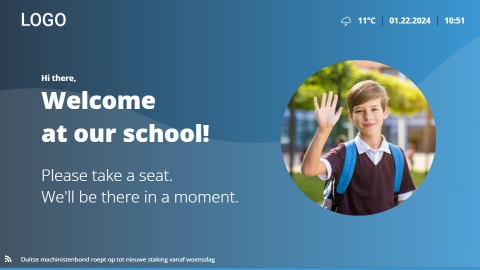
- Welcome screens for open days and visitor events
- Emergency notifications and safety information
Education Template Categories
DS Templates provides education-specific layouts with unique integrations for school scheduling systems used across Europe.
Best Practices for Education Digital Signage
Get the most out of digital signage in your school or university.
Automate Schedules
Connect to WebUntis or Zermelo for real-time timetable updates. When a class is cancelled or a room changes, the display updates automatically. No manual intervention needed.
Student-Friendly Design
Use bold, colorful layouts that catch student attention. Rotate between timetables, announcements, and event promotions to keep content fresh and engaging.
Strategic Placement
Main entrance for announcements, hallways for timetables, cafeteria for menus, and common areas for events. Each location needs different content and viewing distance.
Multi-Building Management
Universities with multiple buildings can manage all screens centrally while displaying location-specific content like building directories and local timetables.
Emergency Ready
Configure emergency templates that can be pushed to all screens instantly. Lockdown procedures, evacuation routes, and weather warnings displayed school-wide in seconds.
Getting Started with Education Templates
Deploy digital signage in your school or university in three steps.
1. Connect Your Schedule System
Link DS Templates to WebUntis, Zermelo, or Google Calendar. Timetables and room schedules update automatically on all connected displays.
2. Choose Your Templates
Select from timetable displays, announcement boards, cafeteria menus, and wayfinding layouts. Each template is designed for the education environment.
3. Deploy Across Campus
Install screens at key locations, customize content per building or department, and launch. Manage everything from one central dashboard.
Education Digital Signage FAQ
Modernize Your School Communication
Digital signage templates with WebUntis and Zermelo integration. Start your free trial today.