Humly integration
Connect Humly with DS Templates
Turn live Humly data into professional digital signage templates. DS Templates connects with Humly so organisations can display room availability, wayfinding, facilities and floorplans in a clear visual format on any screen.
Humly remains the source for workplace data. DS Templates adds the presentation layer: flexible templates, brand styling and a publishable URL that can be used in almost any CMS or digital signage platform.
Room availability
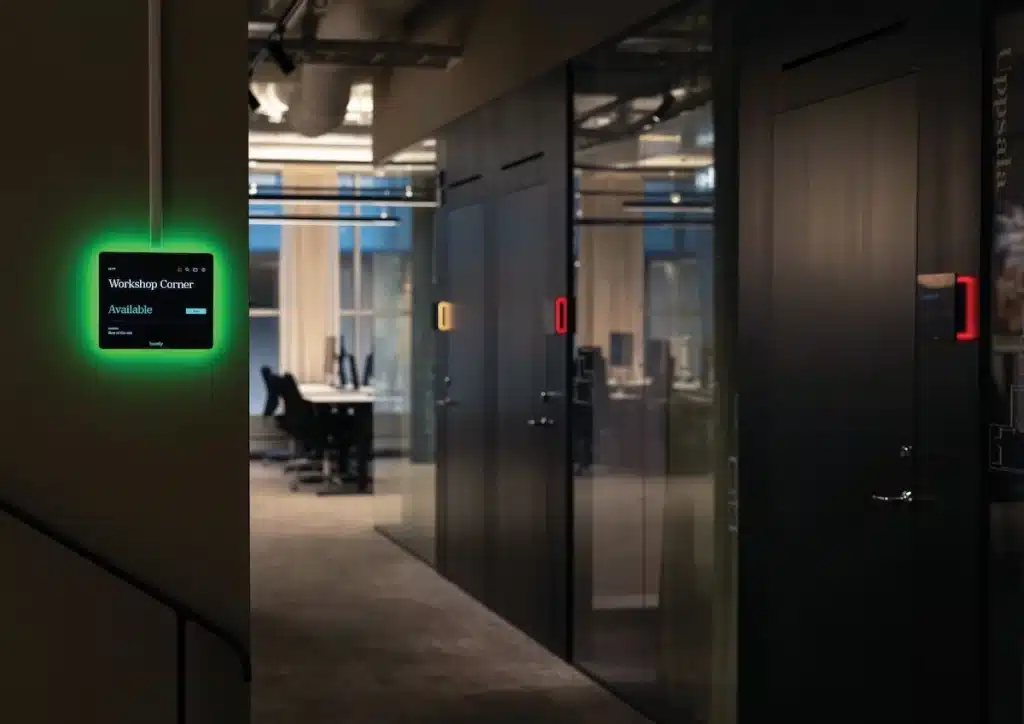
Show whether rooms, desks or spaces are available, occupied or reserved. Give visitors and employees instant clarity on screen.
Wayfinding
Guide people to the right meeting room, department or floor with visual wayfinding templates powered by Humly data.
Facilities
Display relevant room details such as capacity, equipment, location or available facilities directly in your signage layout.
Floorplans
Use floorplan information to create clear overviews of buildings, floors, rooms and available spaces in real time.
From Humly data to any screen
DS Templates makes Humly data usable beyond the room display. You can design a template once, connect it to live data and publish it through a unique URL. This URL can then be used in DS Templates or in another CMS that supports web content.
This makes the integration suitable for organisations that already use a digital signage platform but want more design freedom, stronger branding and automated workplace information.
- Live room booking and availability data
- Wayfinding for rooms, floors and departments
- Facilities and room details in branded templates
- Floorplans and building overviews
- Publishable URL for almost any CMS


Design your own Humly templates
The DS Templates editor gives users control over the visual presentation of Humly data. Adjust colours, typography, backgrounds, icons, layouts and brand elements without rebuilding the data connection.
This allows every organisation to turn functional workplace information into a professional screen design that matches its corporate identity.
Publish Humly templates by URL
After creating a Humly powered template in DS Templates, the output can be published as a URL. This makes it easy to show the same live template in DS Templates, another digital signage CMS or any platform that supports web-based content.
The content stays connected to Humly, while the layout remains fully controlled through DS Templates. That combination gives teams both automation and design flexibility.
Humly integration for workplace digital signage
The Humly integration for DS Templates helps organisations bring workplace data to the screens where people need it most. Instead of showing static messages or manually updated schedules, screens can display live information from Humly in a branded digital signage template.
Use cases include meeting room availability, room booking information, wayfinding, floorplans, facilities and building overviews. Employees can quickly see where to go, visitors can understand the layout of a building and facility teams can communicate real-time workplace information without extra manual work.
DS Templates is especially useful when the information needs to be shown outside the standard Humly interface. A reception screen, lobby display, office overview, touchscreen, videowall or existing digital signage CMS can all use the URL output from DS Templates. This keeps the data live while giving your organisation full control over design, branding and layout.
For partners and end customers, the combination of Humly and DS Templates creates a scalable way to turn room booking and workplace data into professional screen communication.